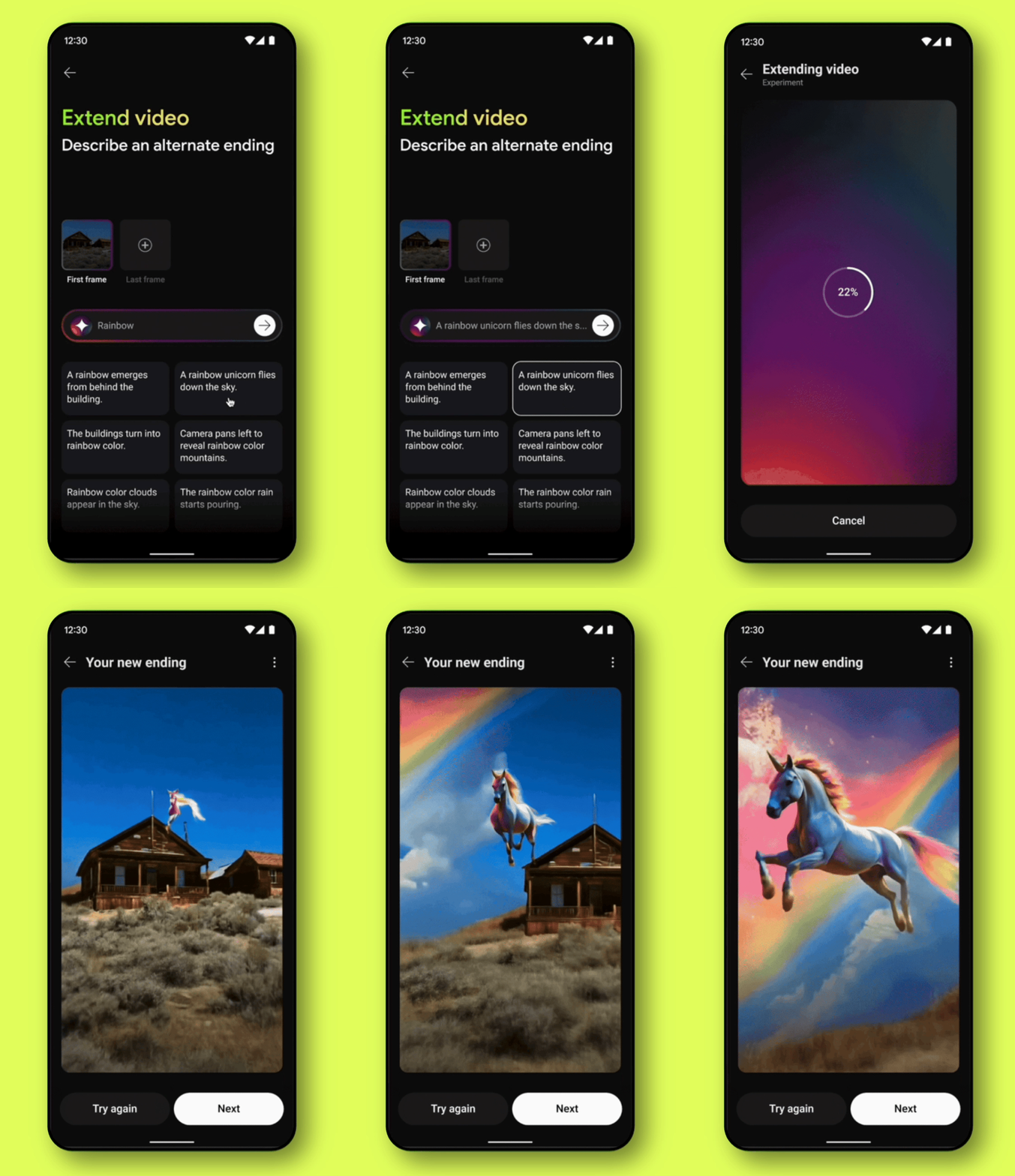
From our MVP features in image and video generation, one problem kept surfacing: the cold start. Users didn't know what image to create, how to animate it, or where to begin.
What if users could select any scene and AI could analyze it, surfacing contextual suggestions that made the experience feel playful and intuitive, helping users discover what this new technology could do for them while making something they actually wanted to create?
My Role
I led the end-to-end user experience from vision to implementation, collaborating with partner teams across YouTube to understand their specific creation needs, running workshops with cross-functional teams to explore ideas, partnering with research to test concepts with users, and working closely with engineering on implementation. Throughout, I built a scalable design system sharable across all YouTube creation surfaces.
Process
Designing with multiple moving targets, diverse team needs across YouTube surfaces, competing deadlines, and rapidly evolving technology, meant the process had to be both flexible and agile. We moved through many rounds of iteration, stakeholder reviews, Trust and Safety passes, and user testing to ensure the experience was not only useful but safe. Building at the frontier of AI means shipping under uncertainty, and the process reflected that reality at every step.
Problem
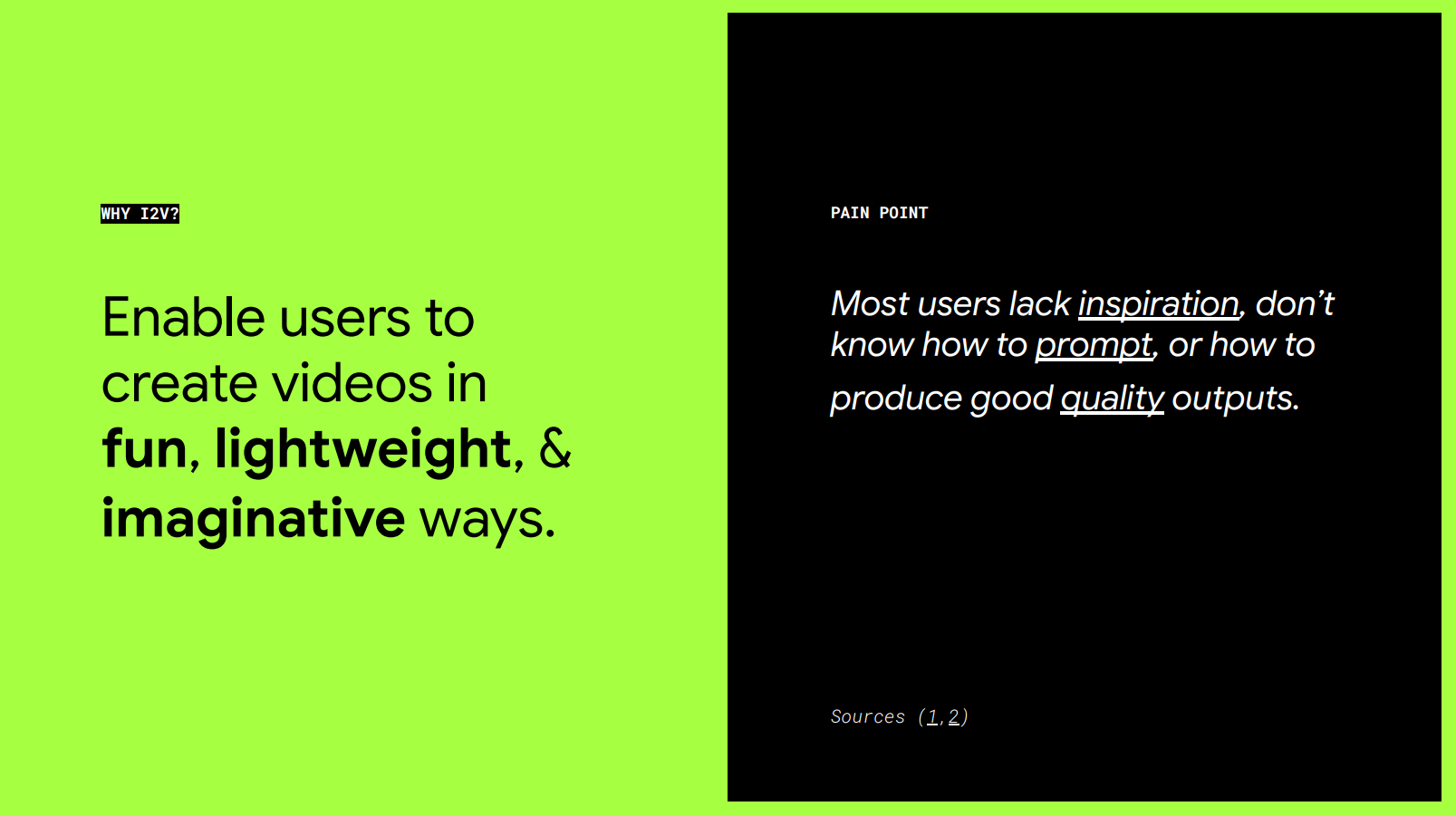
After shipping our MVP features, we uncovered a critical insight: most users lacked the inspiration or know-how to get the outputs they were hoping for. They loved the idea of creating without the vulnerability of being on camera, but didn't yet understand what the technology could do. After a few disappointing trials, they'd stop trying.
The question: how do we guide users toward what they want to create, while keeping the experience inspiring and playful, never intimidating or rigid?
Solution
We explored many approaches, including prompt expansion, where we'd enhance the user's input in the background to improve output quality. But that felt disingenuous, and it missed the point. Users didn't want us to do the creative work for them. They wanted to feel inspired while staying in control, the creative director of their own journey.
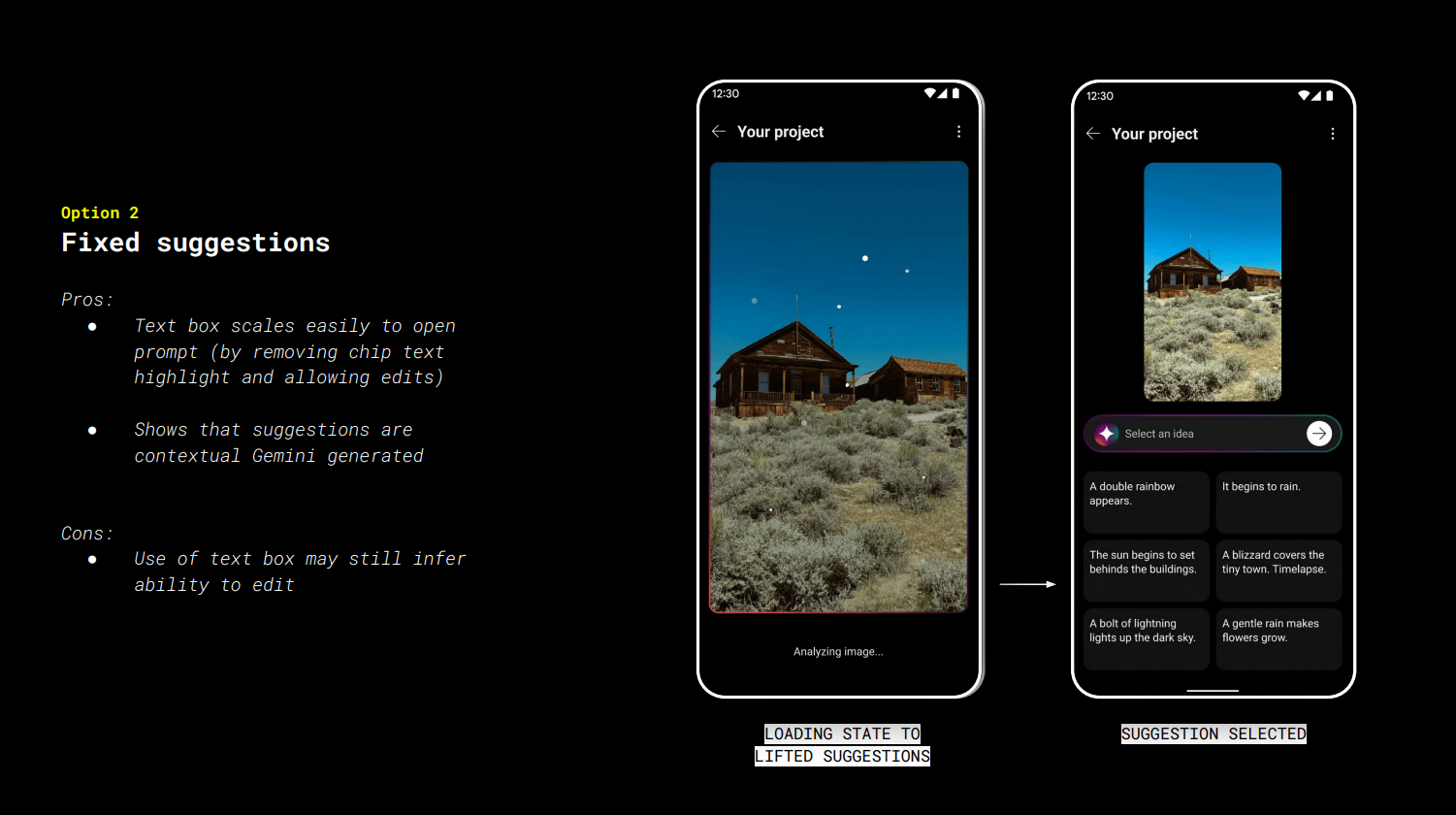
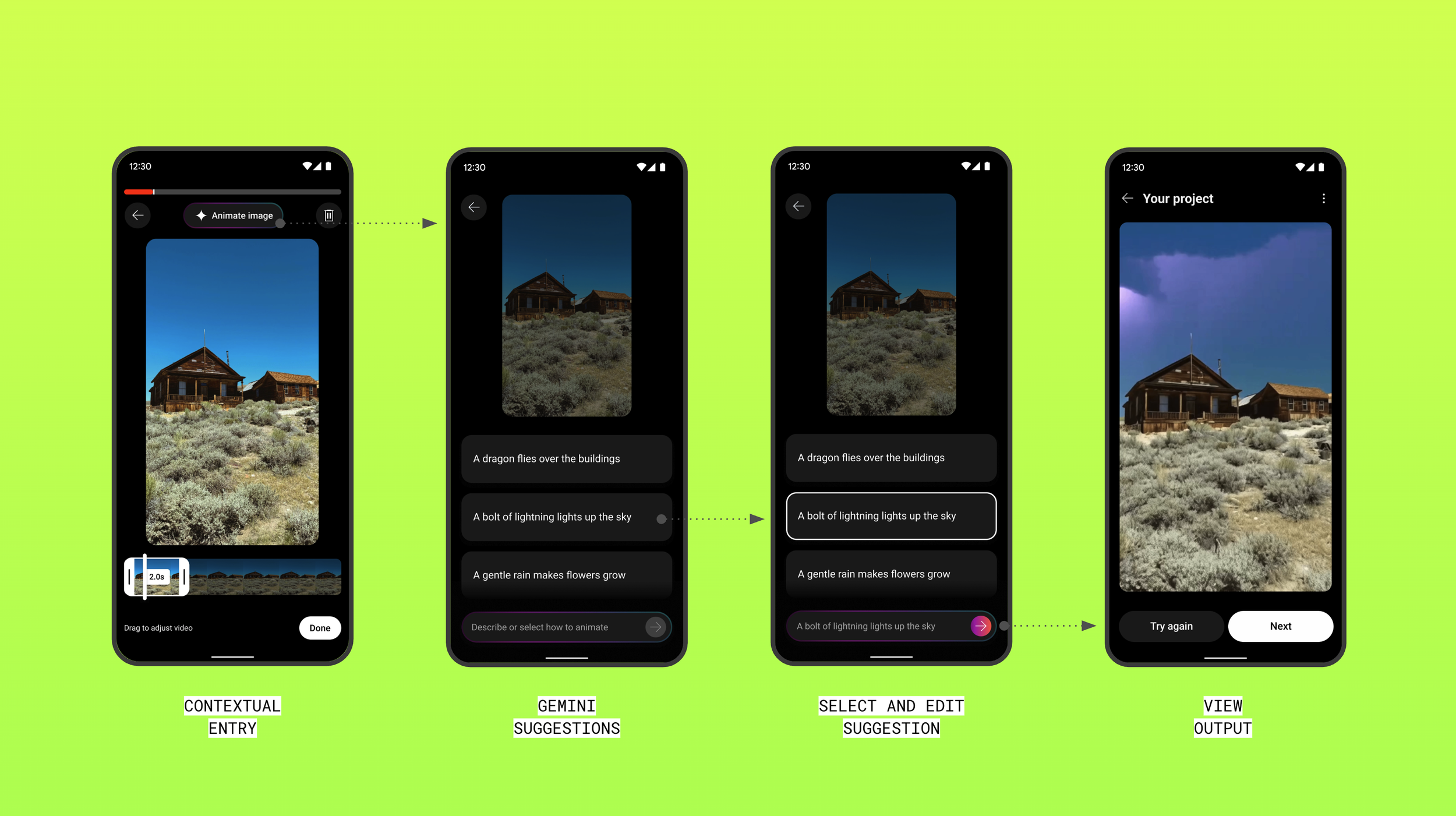
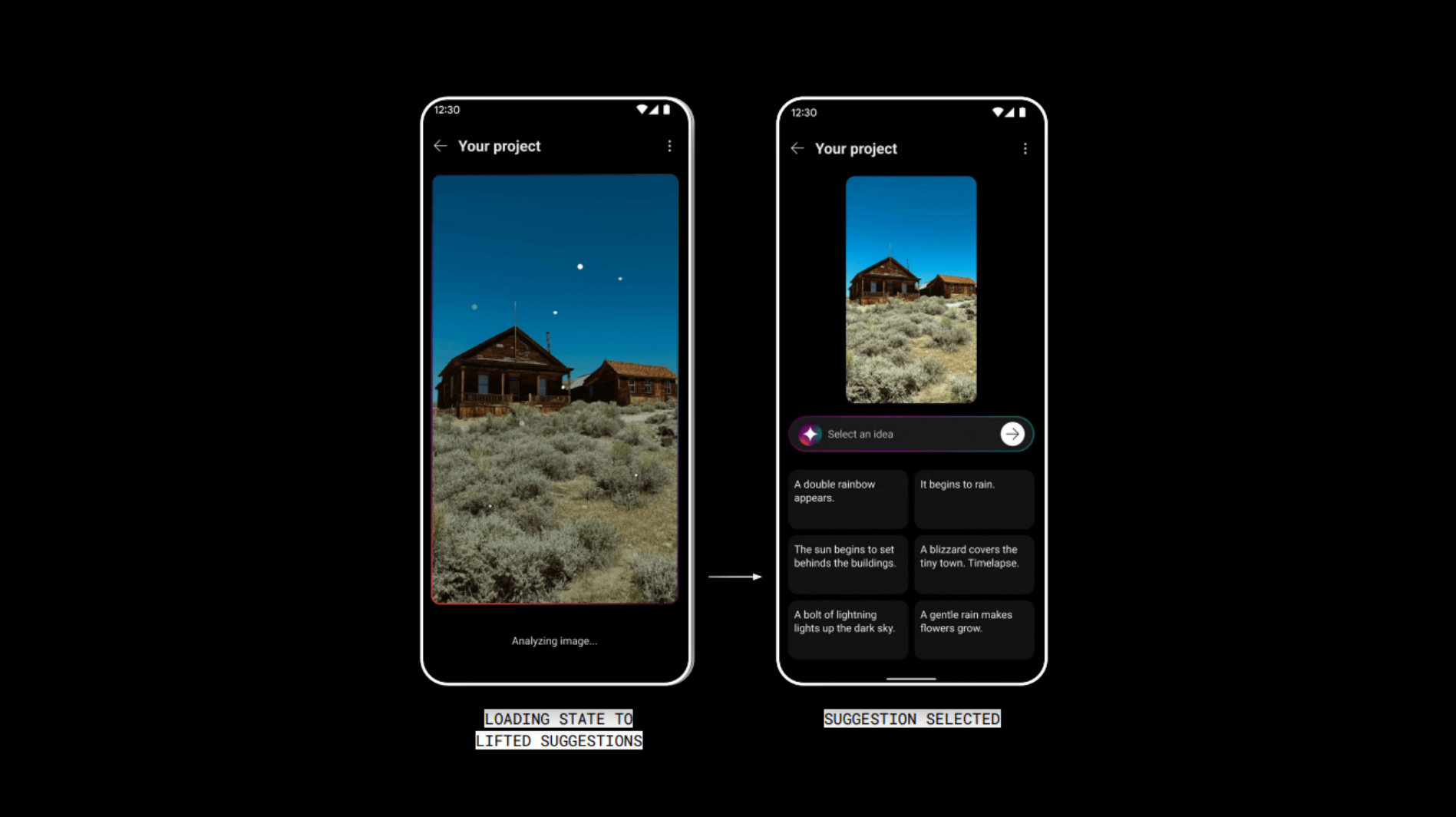
After brainstorming with our AI researchers, we landed on a different idea: what if AI could analyze a scene and surface contextual suggestions specific to that image, giving users a starting point that felt personal, not generic?
Animation Techniques
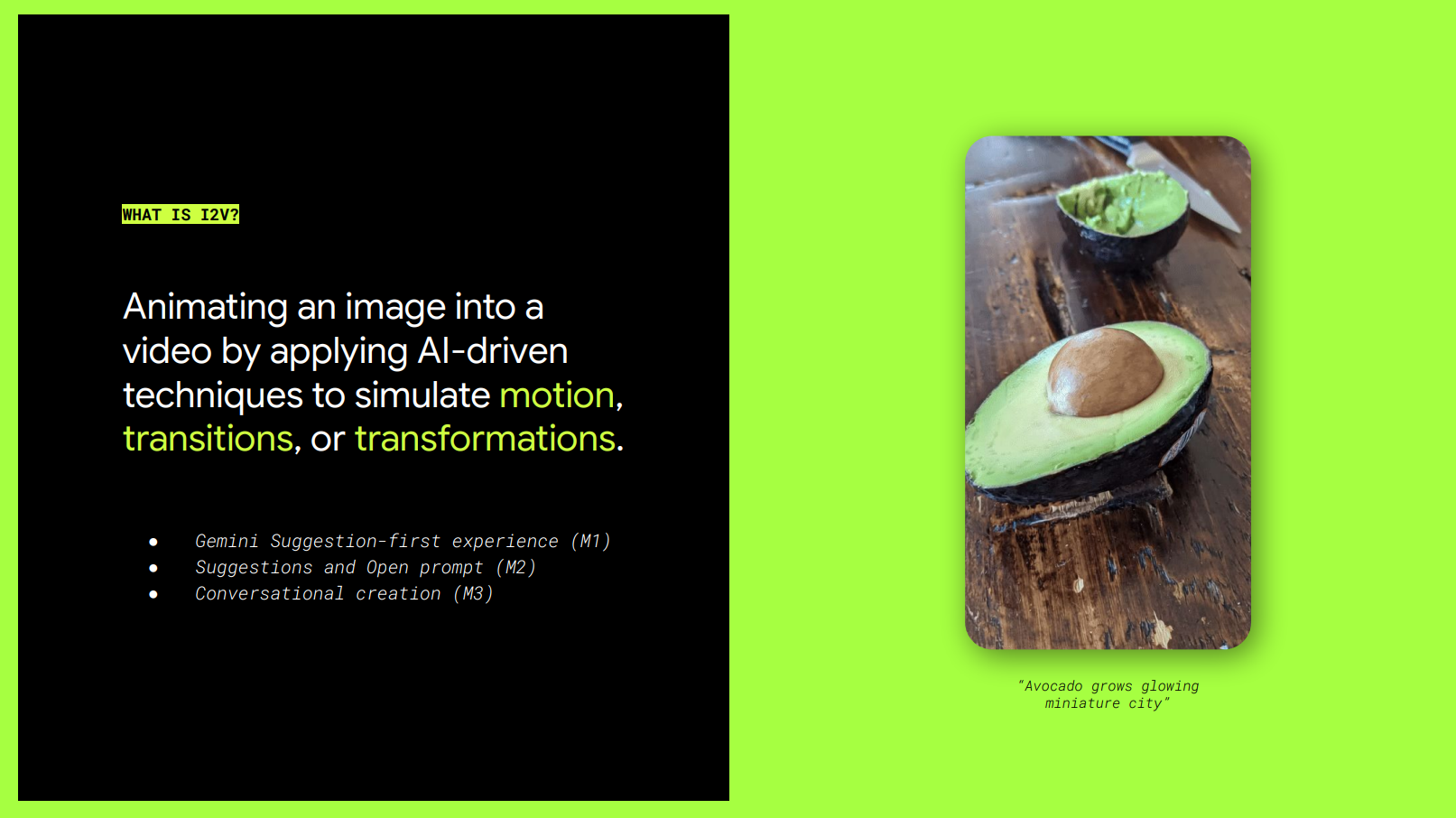
To bring this to life, we needed to map every way an image could be animated, because user intent varied widely. Some users wanted to add subtle motion to a still scene. Others wanted to extend it, transform it entirely, or create transitions between moments. Building this mental model was foundational, it gave our AI researchers a framework to train their model around real user needs, and gave us a clear basis for prioritizing which capabilities to ship first and how to sequence the work into buildable steps.
Suggestions
Our next challenge was the quality and range of the suggestions themselves. We mapped them across a spectrum, from utilitarian suggestions that felt like a tool (like "zoom in") to imaginative ones that felt like a toy (like "grow a miniature city"). The goal was a mix that satisfied different user intents: practical enough for someone with a clear vision, playful enough to spark creativity in someone who had none. Getting that balance right was what made the difference between a feature users tried once and one they kept coming back to.
Model Finetune
In the next phase I worked closely with our PM, UXR, UX engineer, and AI researchers to design the preambles, a set of instructions for Gemini to generate prompts for Veo and surface suggestions to users. We evaluated these preambles through a lightweight testing framework, building an actual working prototype using the technology to assess the results in real time.
The prototype ended up taking on a life of its own, we entered it into a team AI hackathon and won recognition for its end-to-end experience.
Design Principles
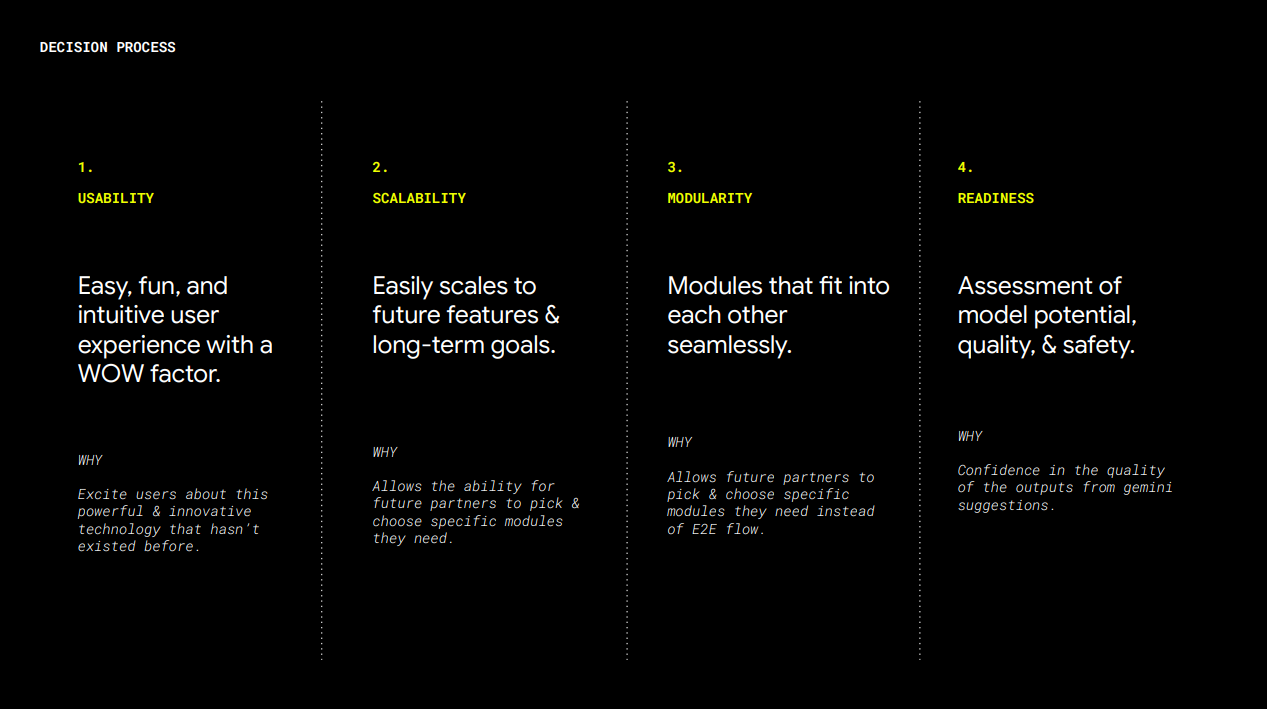
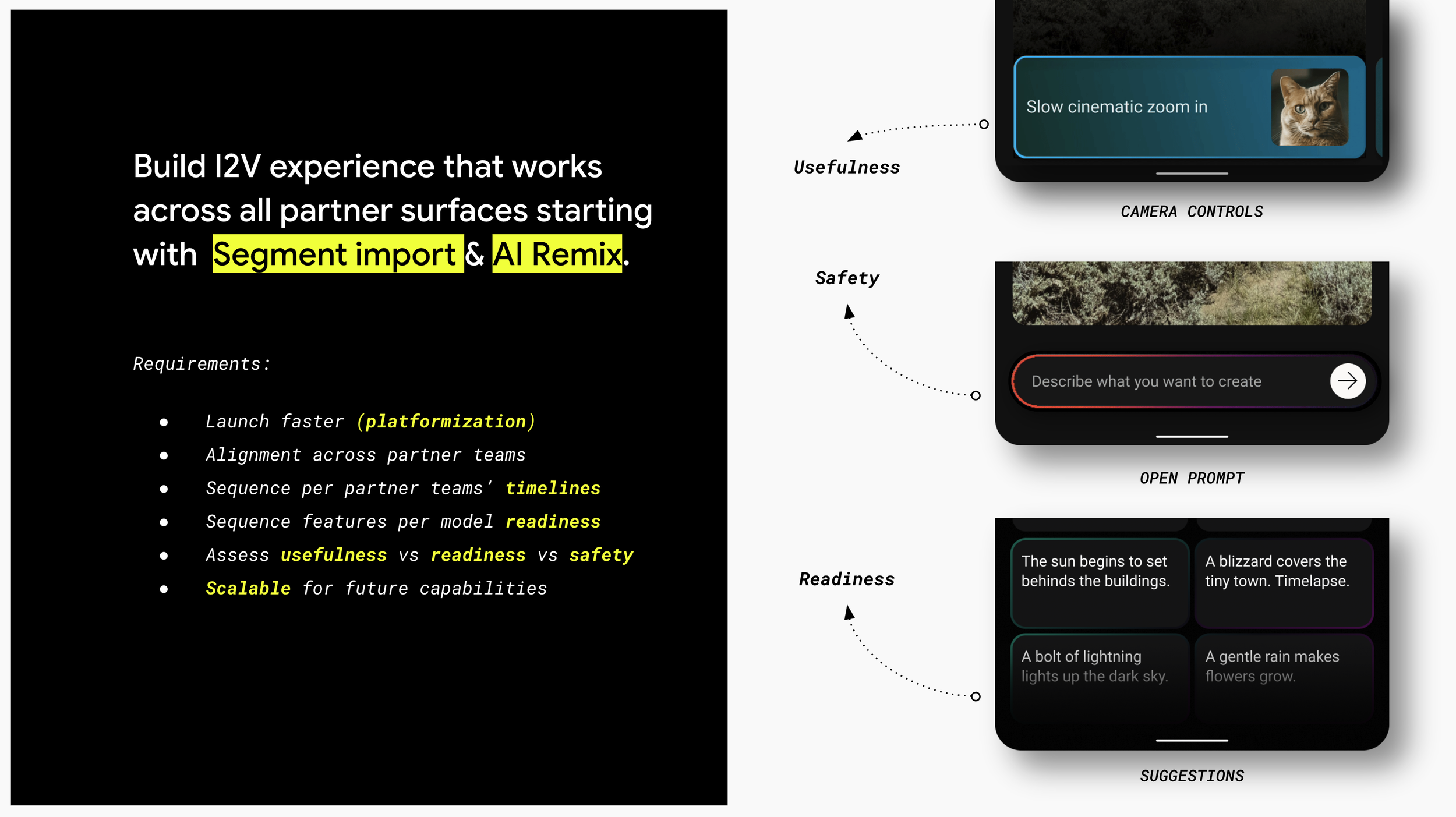
Since this capability was part of a design system built to scale across all creation surfaces on YouTube, every design decision had to be anchored in four principles: usability, scalability, modularity, and readiness. Usability kept us grounded in user needs. Scalability ensured designs could grow without breaking. Modularity meant components could be reused across surfaces without rebuilding. And readiness kept us honest about technical constraints and quality thresholds. Together they gave us a shared framework for making decisions efficiently and confidently.
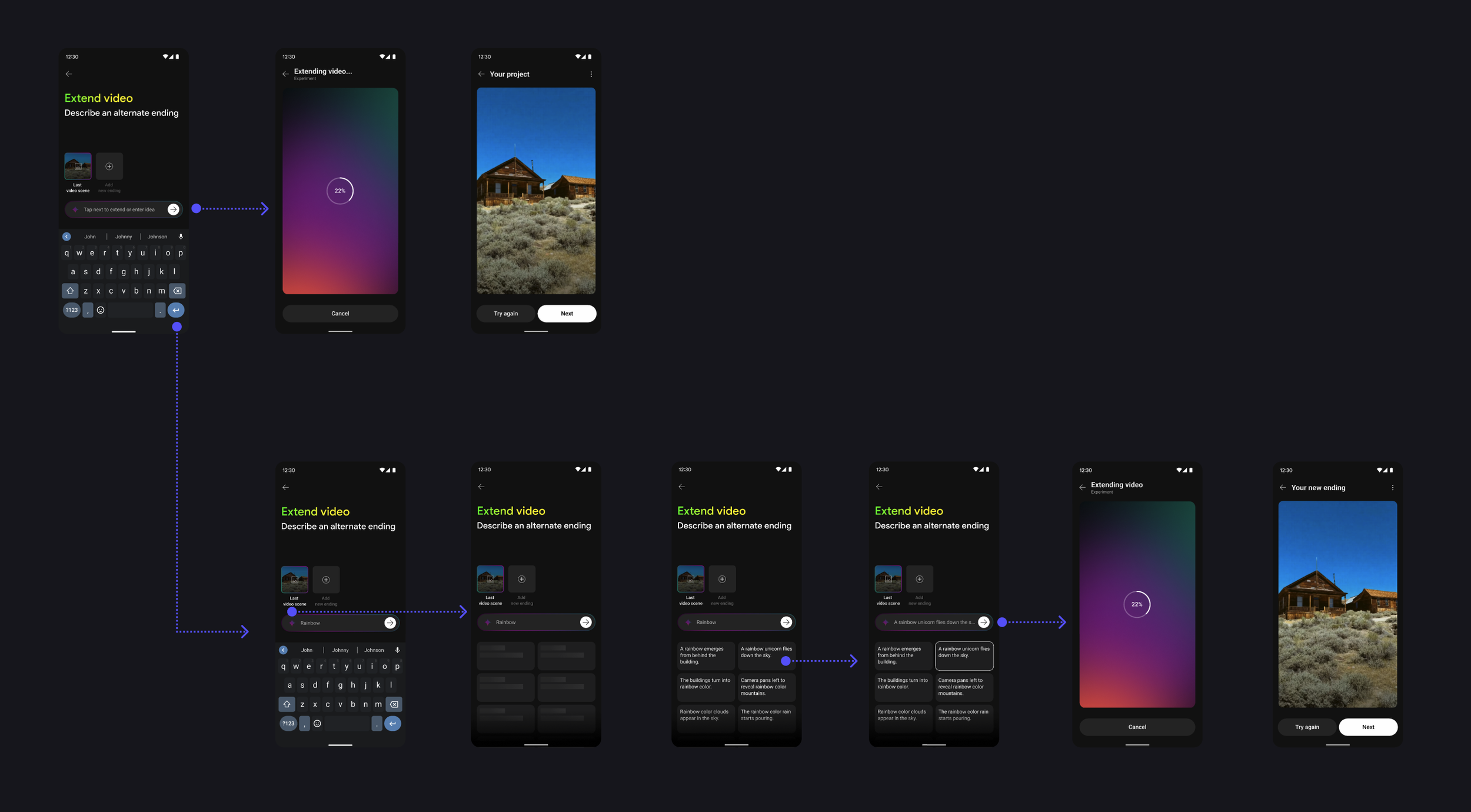
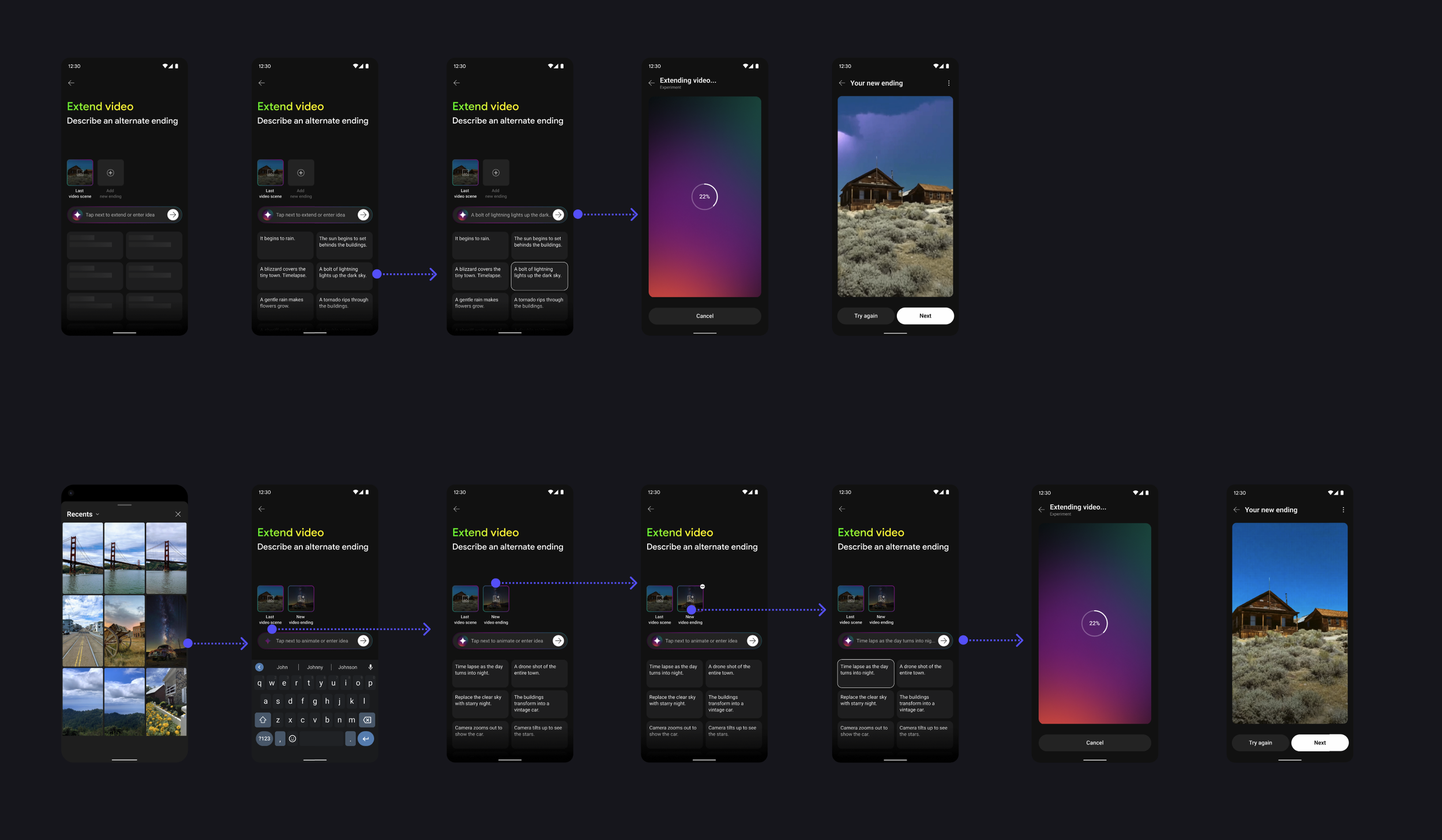
Design Explorations
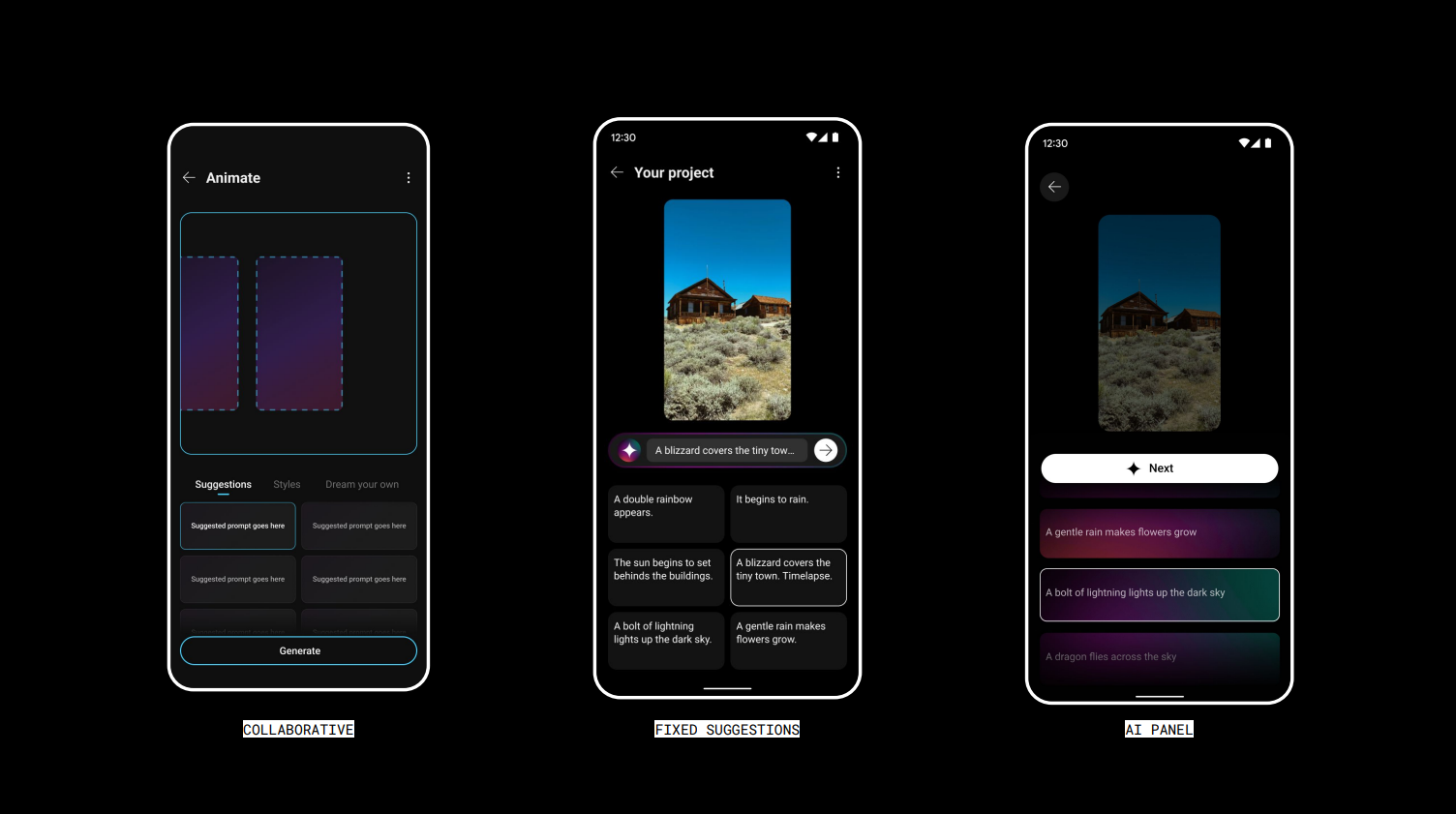
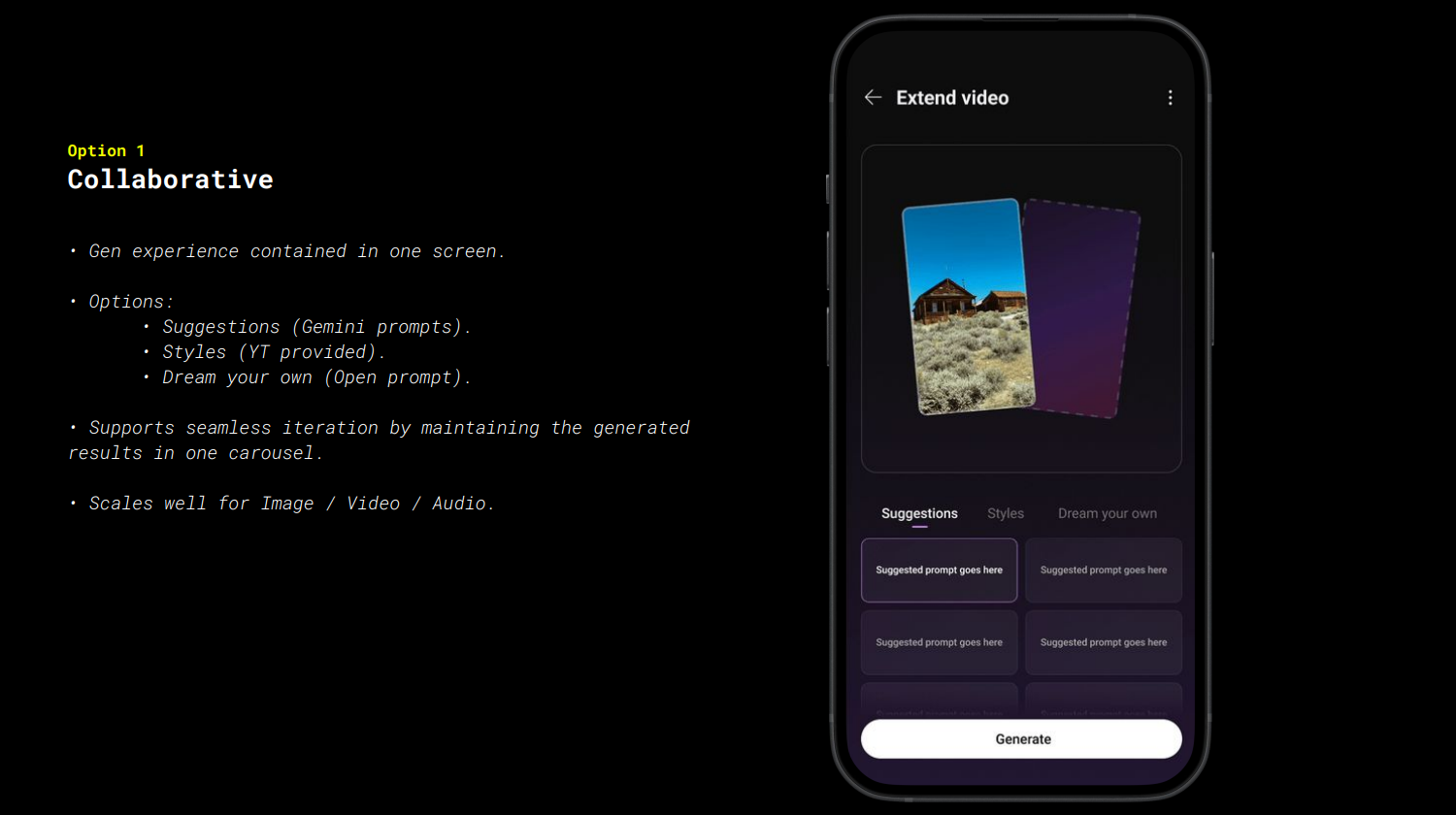
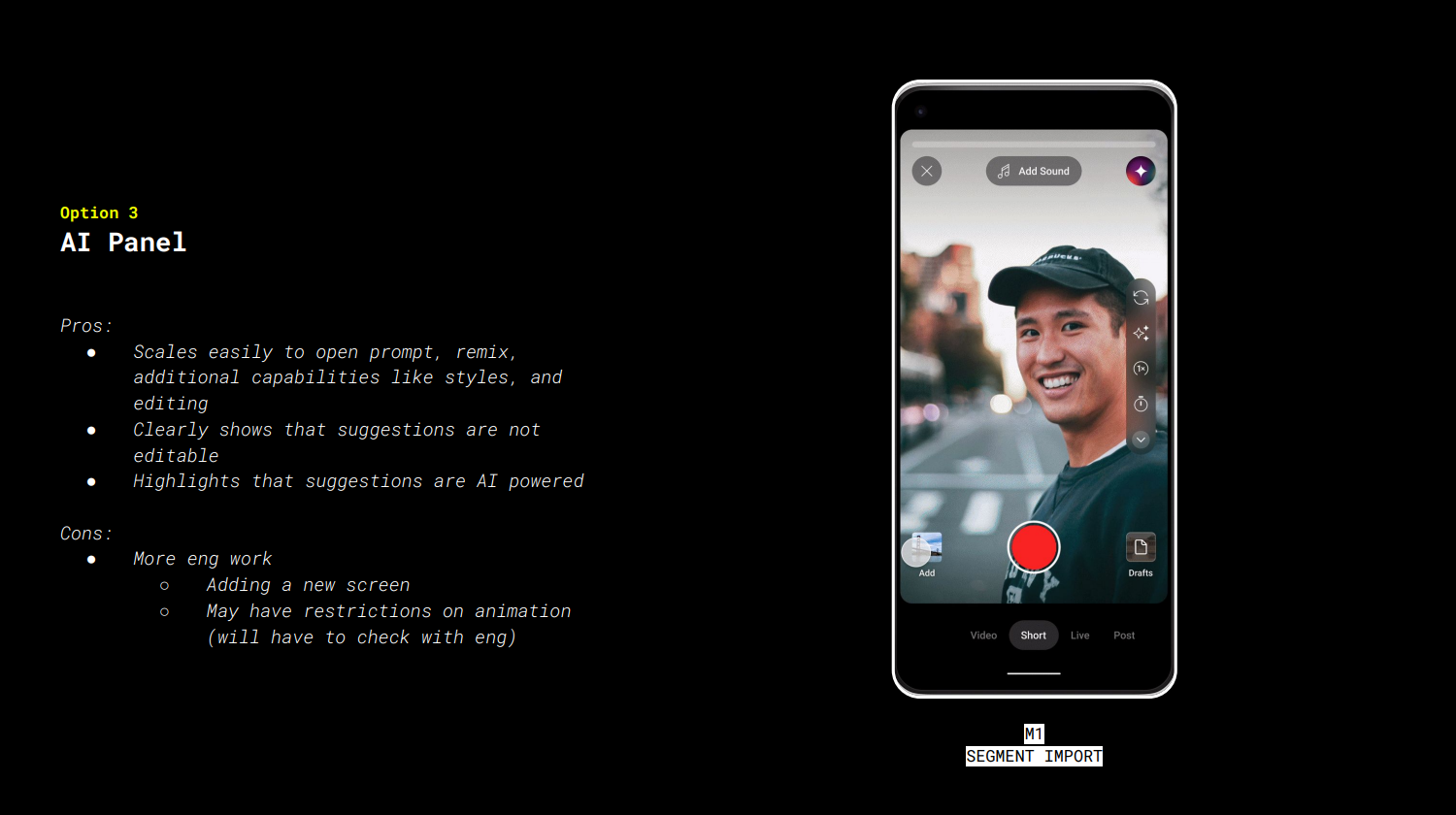
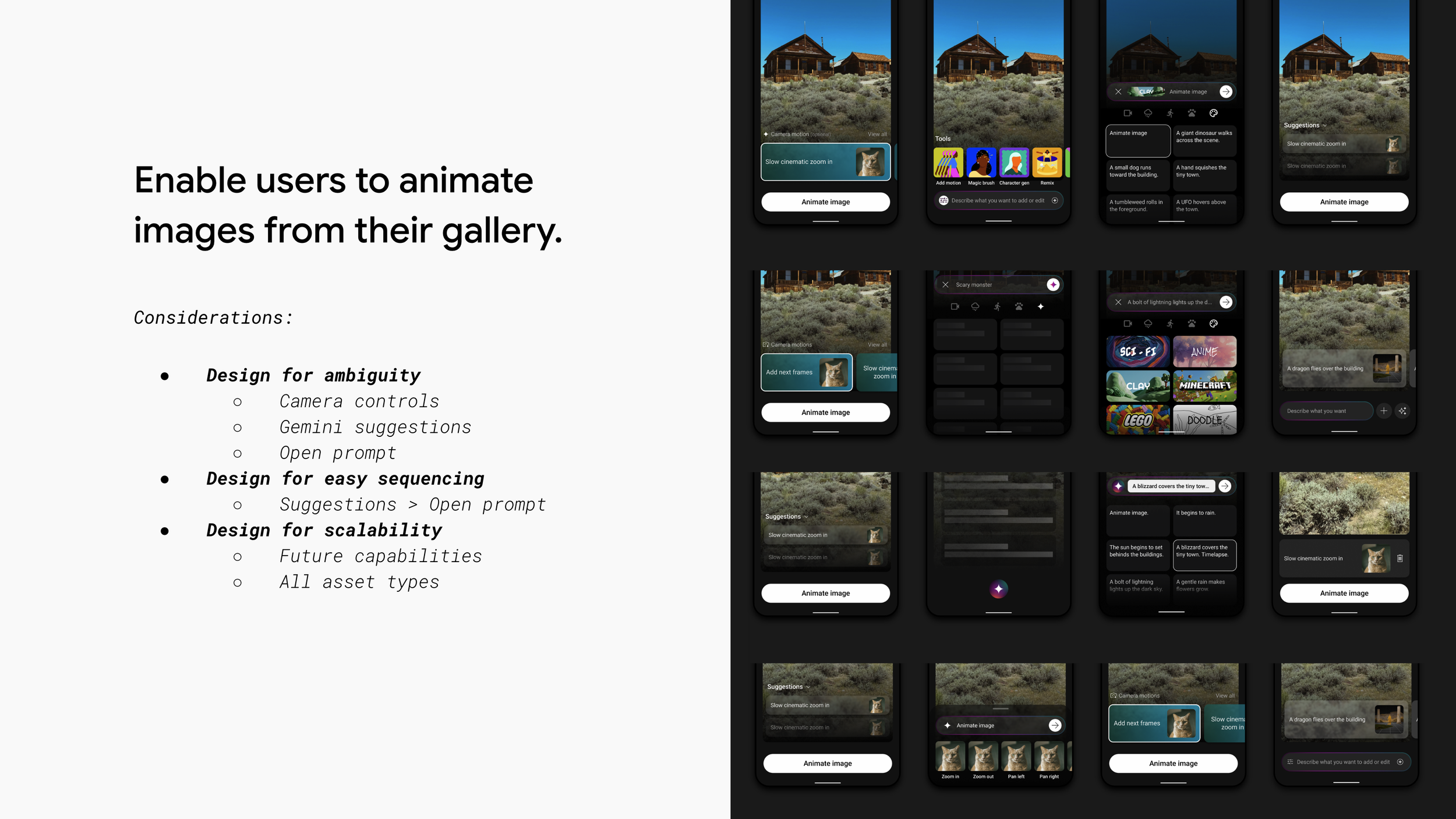
This phase meant designing in the dark. The technology was being built in parallel, which meant constant ambiguity. Could we generate multiple suggestions at once? Would they clear legal? Should MVP users get fixed suggestions or the ability to type their own? Every open question had downstream design and engineering implications.
We were designing the UX, shaping the technology, and testing with users simultaneously, all while hitting tight deadlines and keeping every partner team aligned. It required relentless iteration and a lot of trust across the team.